Get started
Know your Smarthandle 2
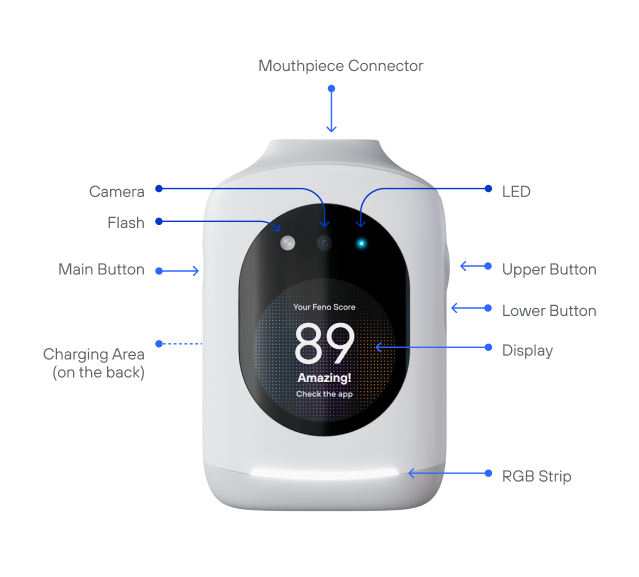
| Part | What it does |
|---|---|
| Display | Shows the time, battery, session progress, your streak and score, and messages. |
| Main Button | On the left when you face the display. The first time, out of the box, hold it 2 seconds to turn on; after that, tap it to turn on. Hold 6 seconds to turn off. Press to start brushing, and to pause or resume a session. |
| Upper and Lower Buttons | From the home screen, the Upper Button starts a Scan. While brushing, the Upper Button raises the speed and the Lower Button lowers it. While paused, the Lower Button ends the session. On the right side when you face the display, with the Upper Button above the Lower Button. |
| Camera | Captures Scans. Shows a live preview on the display while scanning. |
| Flash | Lights up your teeth while the camera takes a Scan. |
| LED | Camera light (blue). On whenever the camera is on. |
| Light bar | Shows status at a glance: power, pairing, charging, battery and bite pressure. See Light bar below. |
| Mouthpiece connector | The pin the Mouthpiece clicks onto. |
| Charging area | On the back. The Snap Charger 2 snaps on here. |
Light bar
The light bar on your Smarthandle shows its status at a glance.
| Light | What it means |
|---|---|
| White, briefly | Turning on |
| Blue | Ready to pair with the Feno App |
| White | Charging on the Snap Charger 2 |
| Red | Low battery. Charge soon. |
| Red while brushing | You're biting too hard. Relax your bite and keep brushing. |
Lift to turn on
After first setup, the Smarthandle turns on as soon as you pick it up. The display is on by the time it reaches your mouth.
Screens
| State | What you see |
|---|---|
| Home | Time, greeting with your name, battery level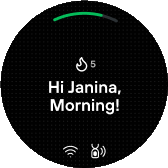 |
| Brushing | Time remaining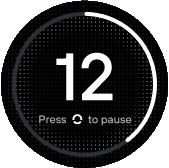 |
| Session complete | Your score and streak |
| Charging | Charging animation, then home with charge indicator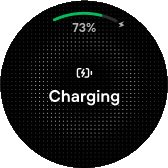 |
| Low battery | Low Battery – Recharge soon at 20%, Very Low Battery – Recharge now at 10%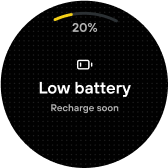 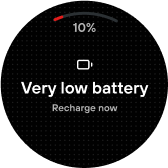 |
| Offline | No-connection icon. Brushing still works; sessions upload later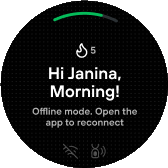 |