Daily use
Brushing
A session brushes every tooth at once in 20 seconds. You can change the session length to 30 or 40 seconds in the Feno App, and the change applies from your next session.
How to brush
- Lift the Smarthandle 2. It turns on automatically (or hold the Main Button for 2 seconds).
- Apply toothpaste. See Foam.
- Insert the Mouthpiece and rest your teeth gently in it. Don't bite.
- Press the Main Button to start. The motor eases in.
- While it's on, move the Mouthpiece in small circles. This helps the bristles reach every surface for a better clean.
- The Smarthandle stops when your session is done.
- Rinse the Mouthpiece under running water and leave it to dry. See Cleaning and care.
Your first 5 days
Brush morning and night. A little tingling or bleeding is normal at first and settles as your mouth gets used to the Smartbrush. If it doesn't settle after a few days, stop using it, contact support and consult your dental professional.
During a session
| Screen | What it means |
|---|---|
| In progress | Time remaining. Press the Main Button to pause. Press the Upper Button or Lower Button to change the speed.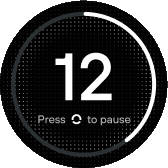 |
| Paused | Press the Main Button to resume, or the Lower Button to end the session. If you don't resume within about 25 seconds, the display returns home.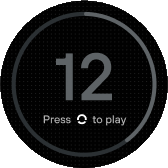 |
| Complete | Your score and streak, then home.  |
| Loosen your bite | You're biting too hard. Relax your bite and continue. |
Streak
The display shows your brushing streak after each session. Your full history is in the Feno App.
Brushing precautions
- Insert the Mouthpiece carefully. Stop if you feel pain inserting it or while brushing.
- If you have dental restorations, make sure the Mouthpiece covers all their surfaces.
- If you have dental disease, crowns or dental prostheses, consult your dental professional or physician before use.